
Kia Sportage: Wireless Power Charger System / Wireless Charging Lamp Repair procedures
Kia Sportage QL (2015-2026) Service Manual / Body Electrical System / Wireless Power Charger System / Wireless Charging Lamp Repair procedures
| Removal |
|

|

| 1. |
Disconnect the negative (-) battery terminal.
|
| 2. |
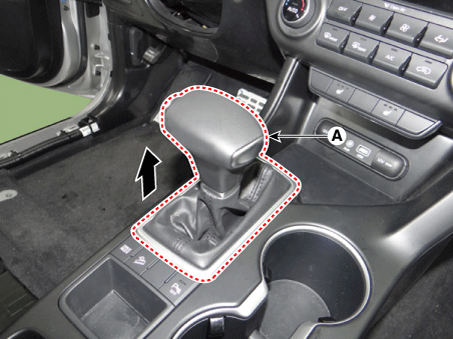
Remove the gear knob & boots (A) pull both of it up.
|
| 3. |
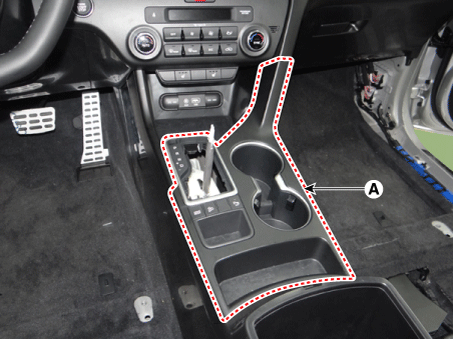
Remove the console upper cover (A) by using a remover.
|
| 4. |
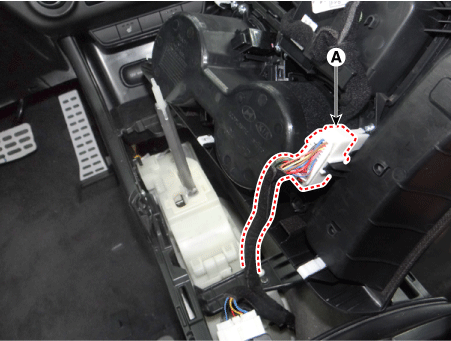
Disconnect the console upper cover connectors (A).
|
| 5. |
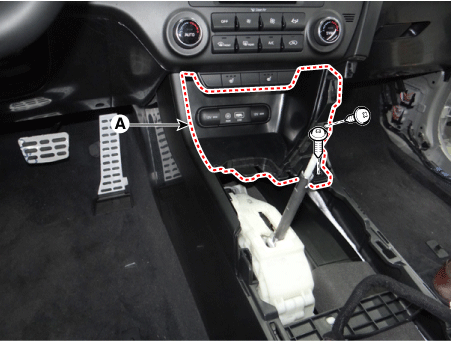
Remove the console front tray (A) after loosening the mounting screws.
|
| 6. |
Disconnect the console front tray connectors (A).
|
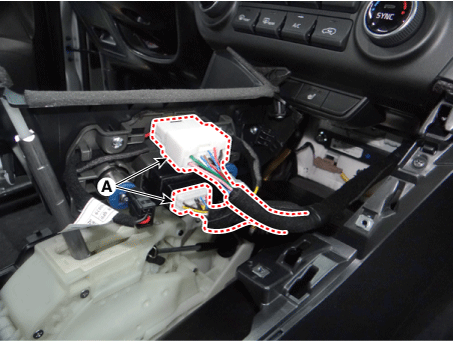
| 7. |
Disconnect the wireless charging lamp connector (A).
|
| 8. |
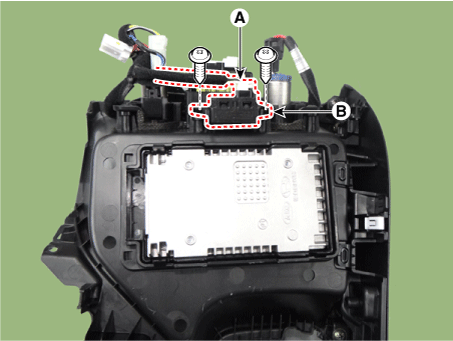
Remove the wireless charging lamp (B) after loosening the mounting screws.
|
| Installation |
| 1. |
Install the wireless charging lamp.
|
| 2. |
Connect the wireless charging lamp connector.
|
| 3. |
Connect the console front tray connectors.
|
| 4. |
Install the console front tray.
|
| 5. |
Connect the console upper cover connectors.
|
| 6. |
Install the console upper cover.
|
| 7. |
Install the gear knob & boots.
|
| 8. |
Connect the negative (-) battery terminal.
|
 Wireless Charging Lamp Components and positions
Components
...

Other information:
Kia Sportage QL (2015-2026) Service Manual: Siren & ACU (Alarm Control Unit) Repair procedures
Removal 1. Disconnect the negative (-) battery terminal. 2. Remove the left luggage side trim. (Refer to Body - "Luggage Side Trim") 3. Remove the burglar alarm siren (A) after disconnec ...
Kia Sportage QL (2015-2026) Owners Manual: Air ventilation seat
The temperature setting of the seat changes according to the switch position. If you want to ventilate your seat cushion, press the switch (blue color). Each time you press the button, the airflow will change as follows: The seat warmer (with air ventilation) defaults to the OFF posi ...
Copyright © www.ksportagegl.com 2015-2026
